WP Google Map Logo
WP Google Map Easy, Powerful WordPress Maps
Home Map Examples Documentation Pricing Contact Us
LIVE CHAT Support Ticket
Home
Simple Location Map Multiple Markers Map Custom Styled Map Directions & Routing Map Localization Based Map Dynamic Map Control
Documentation Pricing Contact Us
LIVE CHAT Support Ticket

Category: Google Map SRM

Don’t see “Embed Google Map” button in new Editor?

July 3, 2019July 3, 2019 Saidur Rahman Milon 2 Comments


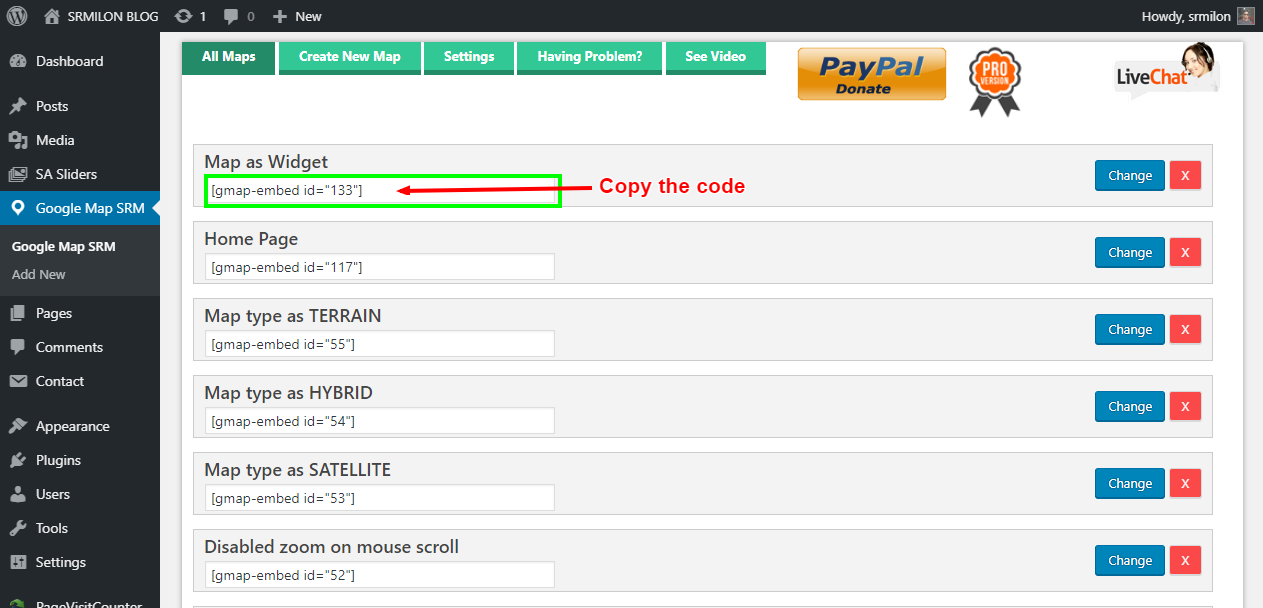
Step 1: Please copy the ShortCode shown as below:


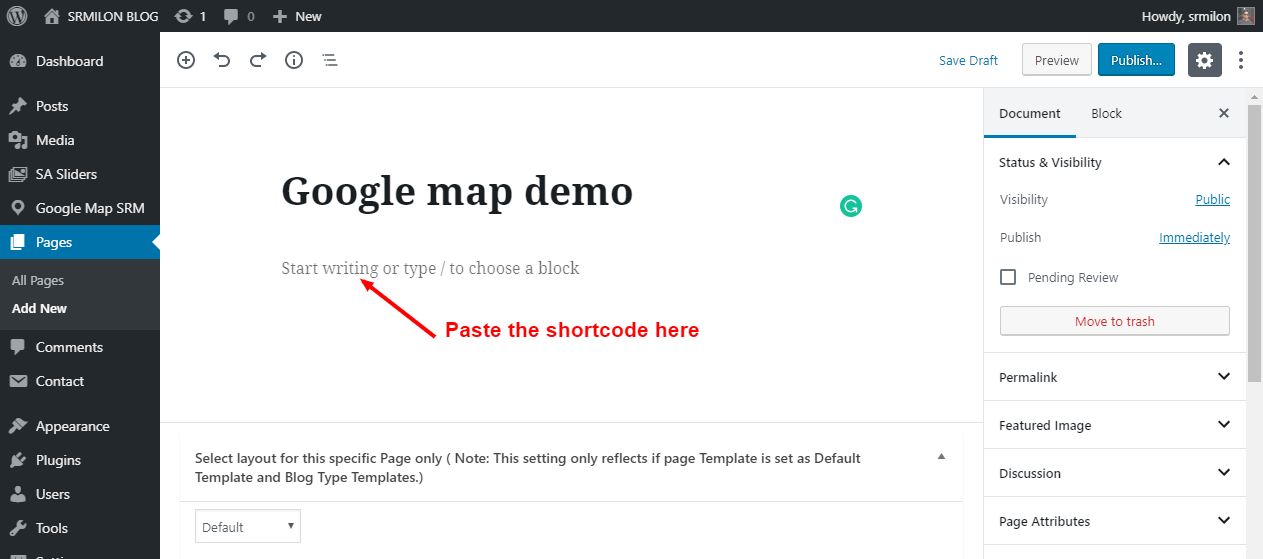
Step 2: Paste the code like below:


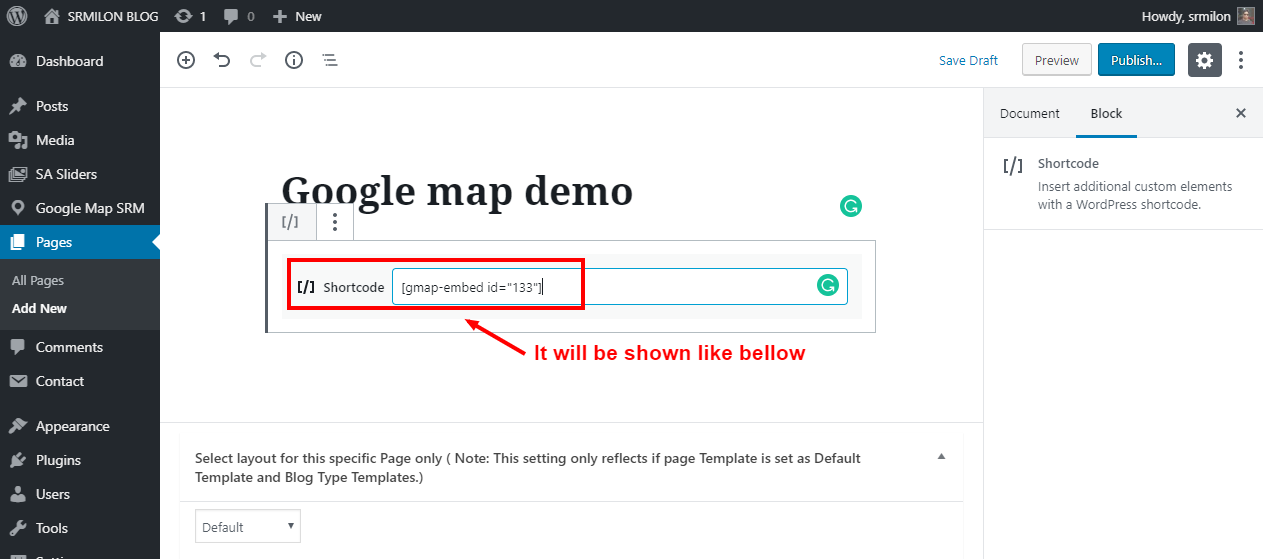
Step 3: After paste, it will be shown like below:


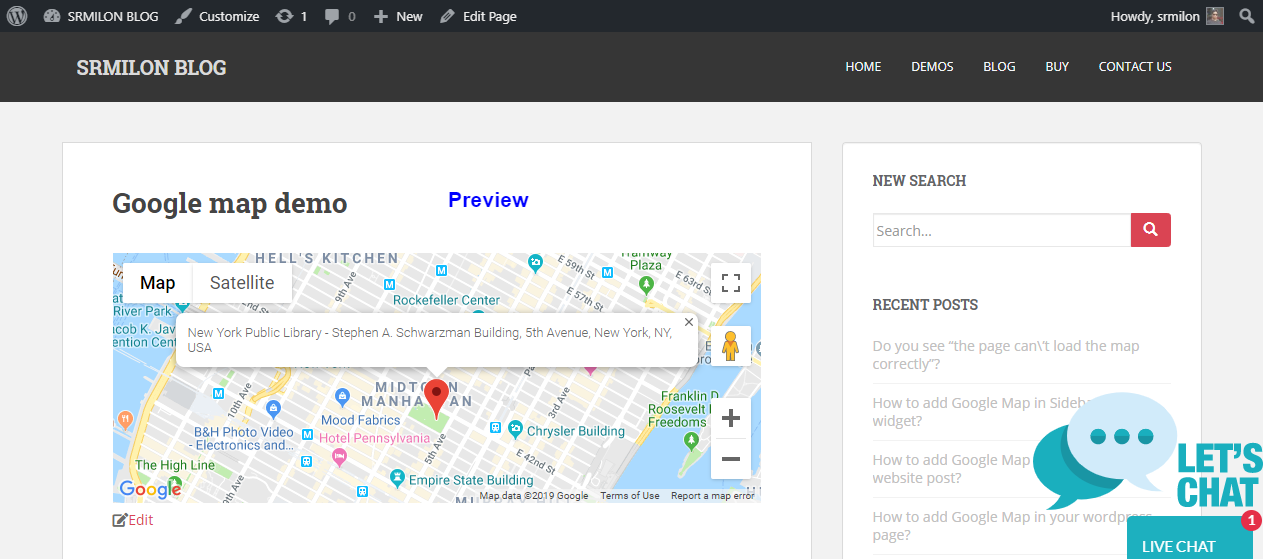
Step 4: After saving/publishing the Google Map will be shown like below:

 

New Search

Recent Posts

  • Elementor #1562
  • Map without direction option
  • With custom class in Heading
  • Google Map with disabled all Control Options
  • SATELLITE based Google Map

Recent Comments

  • mostbet_zuMt on How to add Google Map in your wordpress page(classic editor)?
  • 1win_wypr on How to add Google Map in your wordpress page(classic editor)?
  • melbet_gvki on How to add Google Map in your wordpress page(classic editor)?
  • dostavka alkogolya_rhPn on How to add Google Map in your wordpress page(classic editor)?
  • Megan on Do you see “the page can’t load the map correctly”?

WP Google Map

The most user-friendly and customizable Google Maps plugin for WordPress. Easily embed, customize, and manage maps on your website.

PayPal Visa Mastercard American Express Apple Pay Google Pay

Quick Links

  • Home
  • Map Demos
  • Documentation
  • Pricing
  • Support Portal
  • Contact Us

Legal & Contact

  • Privacy Policy
  • Terms of Service
  • info@wpgooglemap.com
© WP Google Map. All rights reserved. WP Google Map | WordPress.org Plugin