WP Google Map
Easy, Powerful WordPress Maps
Home
Map Examples
Documentation
Pricing
Contact Us
LIVE CHAT
Support Ticket
Home
Map Examples
Simple Location Map
Multiple Markers Map
Custom Styled Map
Directions & Routing Map
Localization Based Map
Dynamic Map Control
Documentation
Pricing
Contact Us
LIVE CHAT
Support Ticket
View Categories
Home
Documentation
Customization
How to add Google Map in Sidebar as Widget – New Widget Editor (From WordPress 5.8)?
How to add Google Map in Sidebar as Widget – New Widget Editor (From WordPress 5.8)?
< 1 min read
Listen
0:00
/
0:12
1×
Copy page
Copy page
Copy this page as Markdown for LLMs
View as Markdown
Open this page as plain Markdown
(opens in a new tab)
Open in ChatGPT
Ask questions about this page
(opens in a new tab)
Open in Claude
Ask questions about this page
(opens in a new tab)
Open in Google AI Studio
Ask questions about this page (Google account required)
(opens in a new tab)
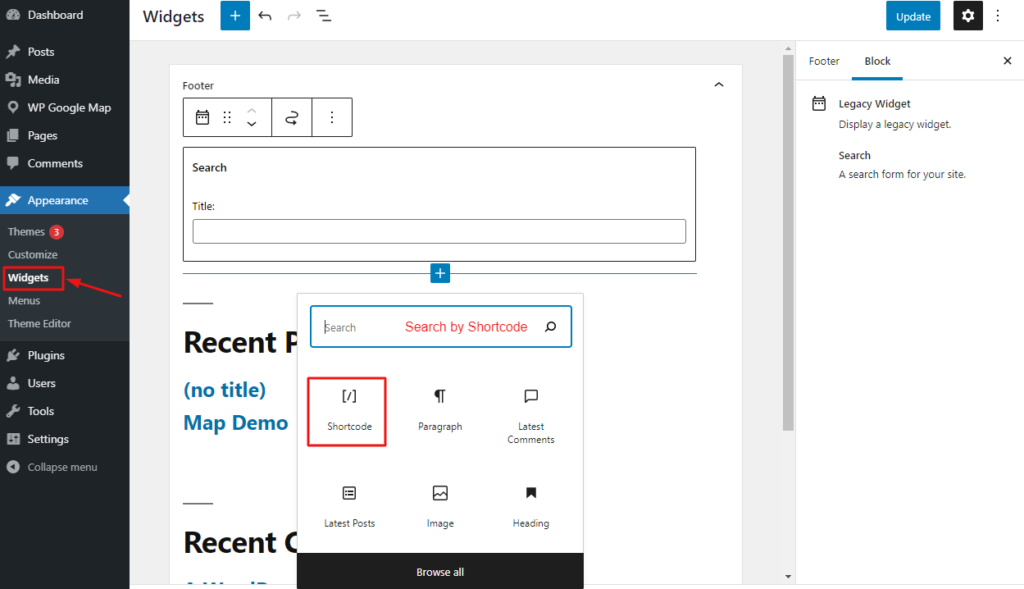
Step 01:
Go to
Appearance->Widgets
and click on
Plus
icons then search by Shortcode like the screenshot above.
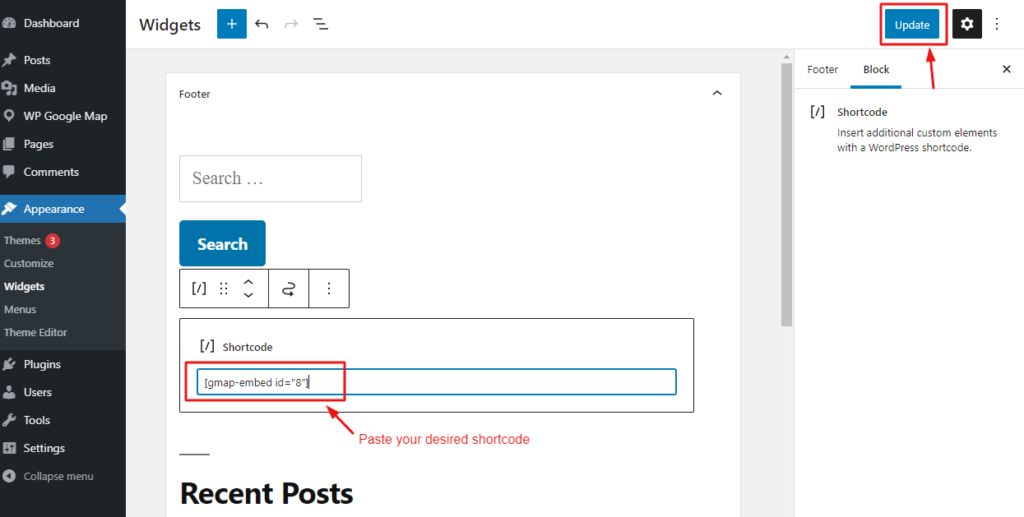
Step 02:
Paste your desired shortcode from the WP Google Map menu.
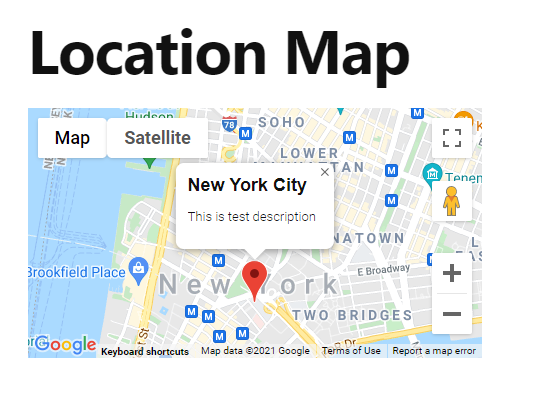
Step 03:
The Output will be like above.
How to change the Map theme easily?
How to add Google Map in your WordPress post(Block Editor)?
Powered by
BetterDocs